Customer workspaces
Group farms by customer, with colour, tags, private notes and follow-up dates. Keep personal farms separate from the work you manage.
When you run farms for other people, “the bot is running” is only half the job. Know which customer needs attention, what work was recorded and what you can report back.
Separate Operator capability, not personal access with a customer-name field. Development interface shown below. Compare the announced Operator 25 and Operator 100 plans; sales are not open yet.
MY FARMS → MANAGED FARMS
Customer groups on the left. Their farms, work and history on the right. An attention queue brings recorded exceptions and stale observations to the front, while cards or a compact table keep larger farm lists manageable.
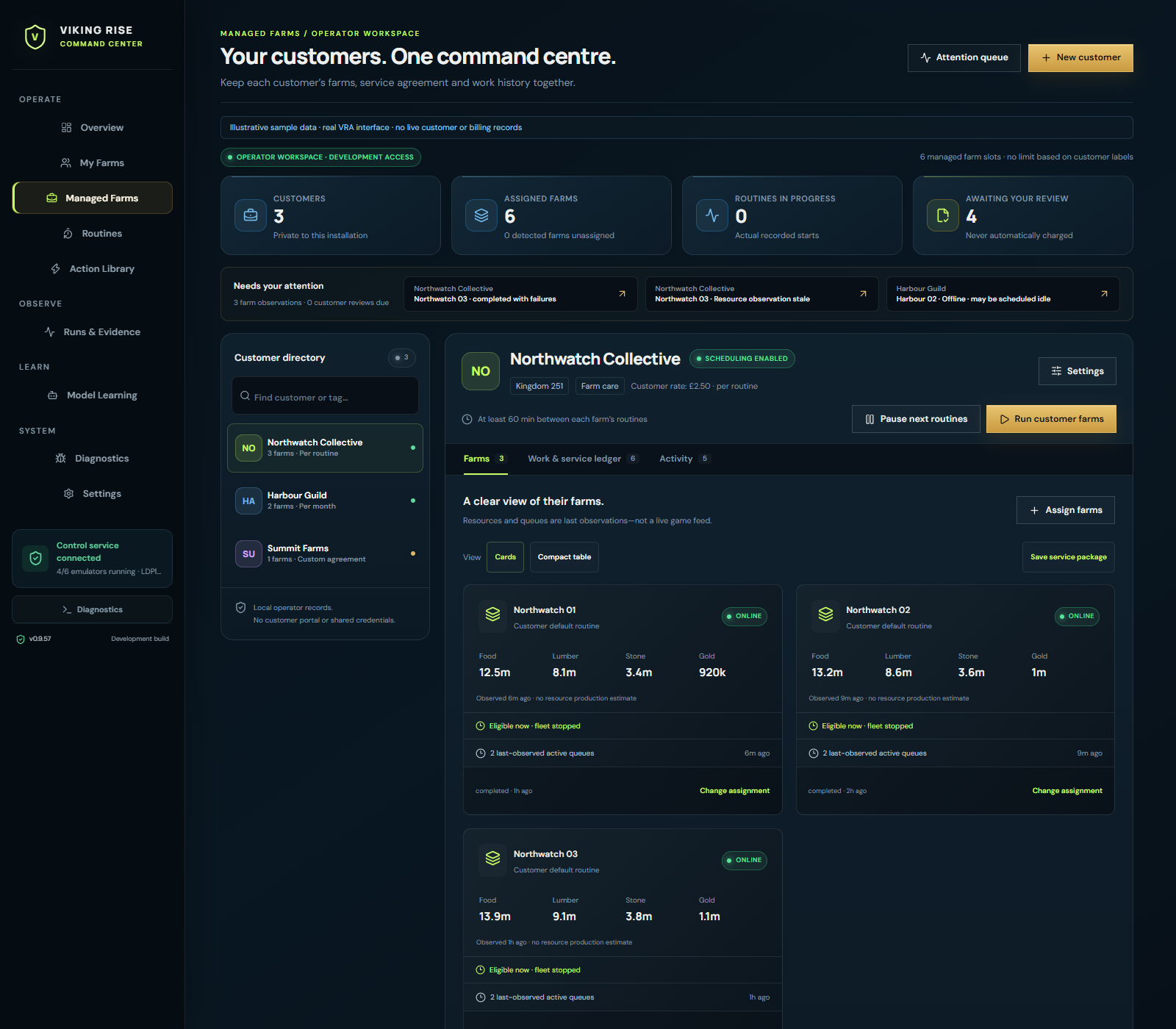
Group farms by customer, with colour, tags, private notes and follow-up dates. Keep personal farms separate from the work you manage.
Find recorded failures, stale observations, offline farms, overdue eligibility, missing routines and work awaiting review. Offline does not automatically mean failed.
Set a default routine and minimum interval per customer. Retain farm-specific routines where needed, with explicit inventory and speedup restrictions.
Review the affected farms, routine choices, eligibility and concurrency before starting a customer round through the normal VRA engine.
Record what you charge your customer: per routine, per farm, hourly, daily, monthly or custom. Your customer rate is separate from the VRA licence price.
Download branded daily or weekly HTML reports and a 30-day CSV. Review work explicitly; keep incomplete and uncertain outcomes visible.
A REPEATABLE CUSTOMER HANDOVER
Create a reusable service package for your way of working. Apply its routine default, cadence, spending permissions and service terms to a new customer, then review the farm assignments.
Add a name, tags and private notes. Choose a service package or set defaults yourself.
Preview the exact existing profiles. Keep farm-specific routines where appropriate.
Interleave customer groups inside your configured concurrency. Respect pauses, cooldowns and routine restrictions.
Inspect recorded outcomes, approve or exclude work and download a customer-specific report.
YOUR CUSTOMER RATE. YOUR REVIEW.
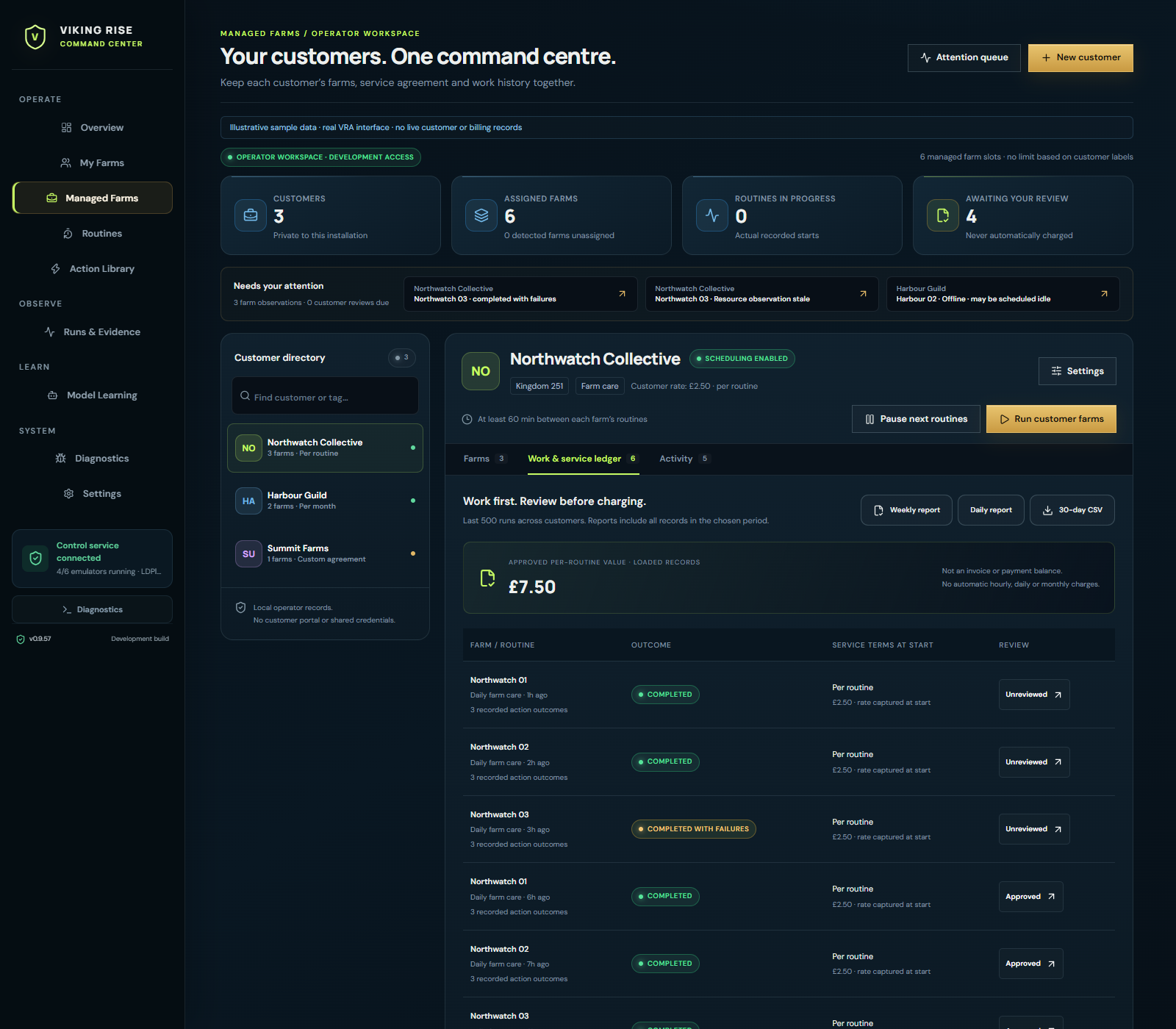
Record per-routine, per-farm, hourly, daily, monthly or custom agreements. Each routine keeps the service terms it started with. Later price changes do not rewrite its history.
SOMETHING YOU CAN SEND BACK
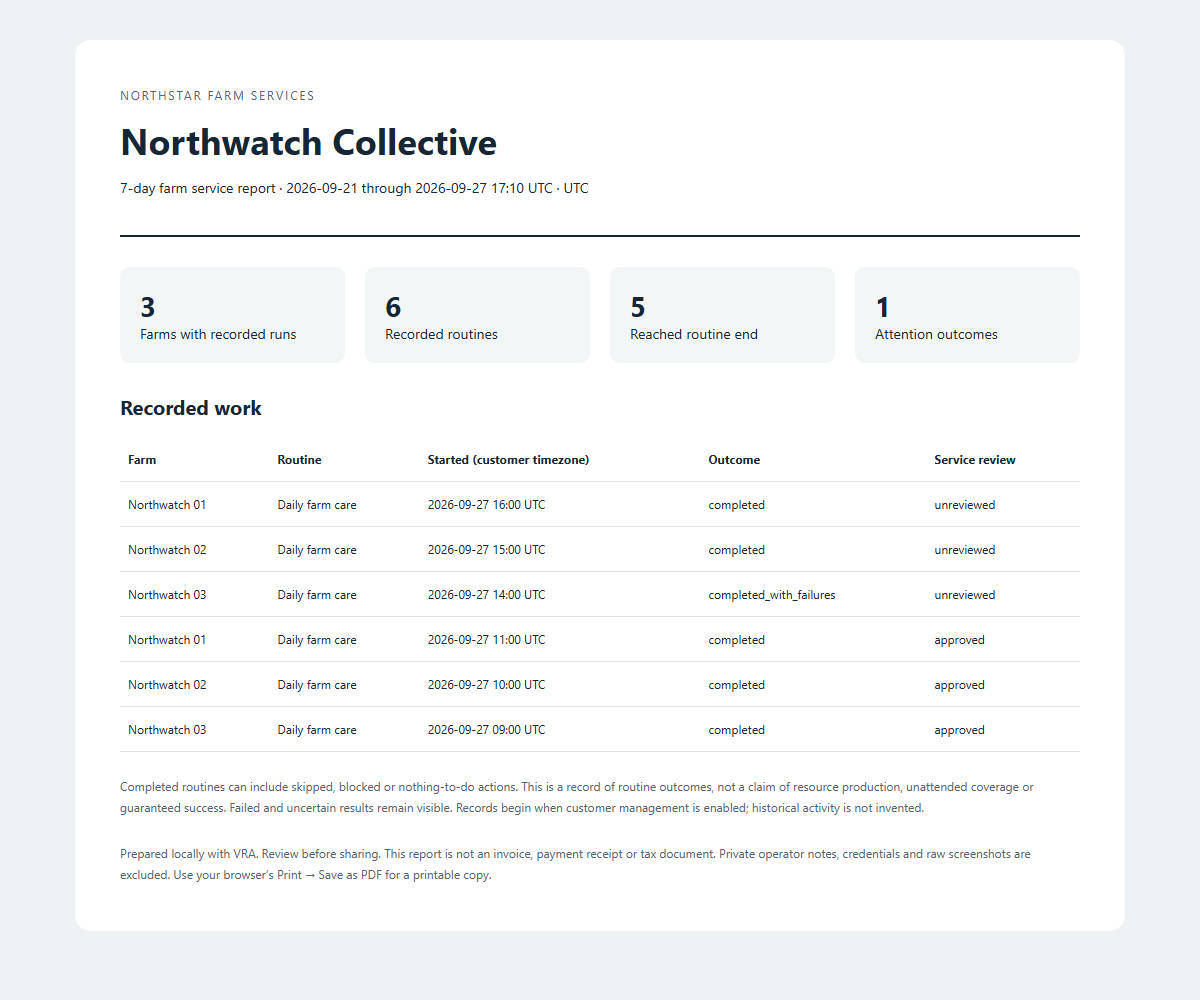
Export branded daily or weekly HTML reports, printable to PDF, plus a 30-day CSV for your own records. Reports stay scoped to the selected customer and exclude private notes, credentials and raw captures.
A DISTINCT PRODUCT, NOT OWNERSHIP SURVEILLANCE
Operator access is based on signed feature entitlement and configured managed farm slots. VRA does not try to guess the private relationship behind your game accounts, and customer labels do not change the slot count.
Farm-centric routines and visibility for your own setup.
Professional administration around the same engine.
OPERATOR QUESTIONS
No. Professional customer-management tools require a separate Operator entitlement and signed managed-farm-slot allowance. A personal licence can show an Operator preview without unlocking protected operations. Opening the preview does not upgrade or charge you.
The implementation gates professional features and configured managed farm slots, not the number of customer labels. Grouping every farm under one name does not reduce its slot count. Operator 25 includes 25 configured managed farm slots for $29.99 USD/month; Operator 100 includes 100 for $59.99 USD/month. Both cover one licensed Windows installation and the same professional tools. Sales are not open yet.
You can record either arrangement, plus per-farm, hourly, daily or custom terms. Routine records capture the agreed rate when they start and remain unreviewed until you make a decision. VRA does not collect payments, issue tax invoices or automatically calculate time-based fees.
They are captures of the actual working development interface using clearly labelled illustrative data. Customer names, farm observations, service prices and run records are examples—not external beta results, VRA subscription prices or reliability benchmarks.
Not in this implementation. Customer records and reports are local to one licensed Windows installation. Staff accounts, remote access, a customer portal, integrations and pooled multi-host allowances are future possibilities, not included features.
No. Reports show recorded work and its review status. Coverage percentages, intervention rates and unattended hours are not claimed without the required telemetry. VRA does not guarantee customer revenue, game results or protection from account penalties.
FOLLOW THE LAUNCH
Join for development, testing and launch updates. VRA remains pre-release; signup is not a purchase, trial activation or guaranteed beta place.