Routine Builder
Order active-catalogue actions and expose supported settings, cadence and assignment without editing scripts.
THE CUSTOMER COMMAND CENTRE
Farms, routines, schedules, activity, evidence, health and migration belong in one operational surface. The interface is designed to answer “what needs attention?” before it asks you to run anything.
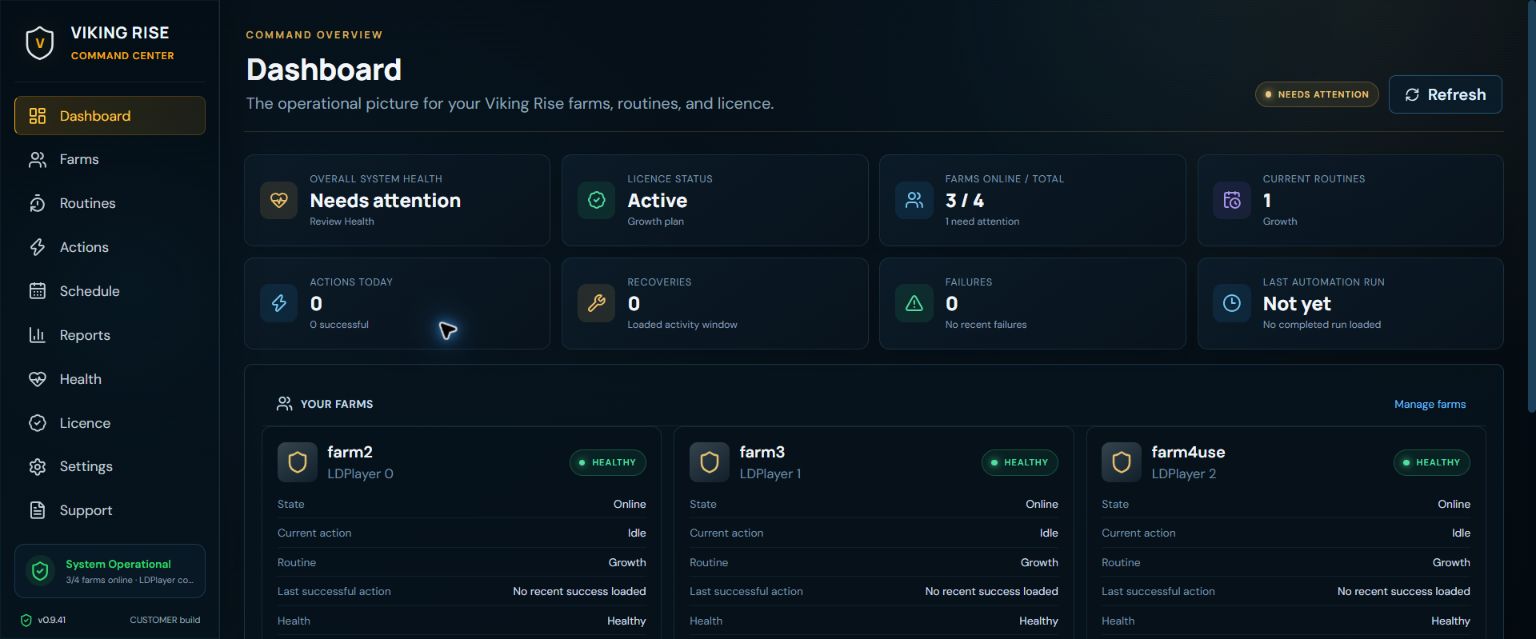
USE THE PRODUCT BEFORE INSTALLING IT
Switch views, open the full capture and read the customer decisions each screen exposes.
01 / ACTUAL CUSTOMER INTERFACE
Fleet readiness, currently running work, the next schedule, recent outcomes and attention states in one customer surface.
Actual development-build customer captures from September 2026. Example account state; not a live feed or reliability proof.
THE OPERATIONS LOOP
The screenshots above are the current public captures. These cards describe the additional customer surfaces present in the development interface without pretending they are new screenshots.
Order active-catalogue actions and expose supported settings, cadence and assignment without editing scripts.
See which routines are assigned, when they become eligible and which farms are waiting for capacity.
Read the ordered customer-visible stream instead of digging through a raw log file.
Inspect outcomes, timestamps, failure context and relevant captures across the fleet.
Break executions into performed, no-action, game-block and failed outcomes—never one inflated success number.
See bounded retries, circuit state and attention without silently forcing another attempt.
Separate Windows, service and emulator problems from automation results.
Preview, review and deliberately import supported GnBots configuration.
THE EVERYDAY FLOW
You should not need to edit automation code to operate a farm.
Select the exact LDPlayer profiles. Farms can keep different assigned routines.
Pick active actions, arrange order and set customer-facing limits.
Start deliberately or set a cadence, then follow outcomes and evidence.
THE MEMORABLE PART
See the outcome language, retry decision and customer-visible record that sit behind a result.